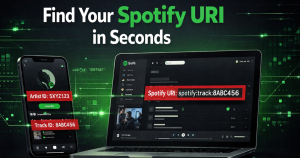

If you’re releasing music, pitching to playlists, or setting up distribution, one small detail can slow everything down: finding your Spotify URI or Artist ID.
Most guides either skip steps or confuse URI with a regular link. This guide fixes that. In the next few minutes, you’ll learn exactly how to find your Spotify URI, Spotify Artist ID, Spotify track ID, and even how to get a Spotify URL on mobile—clearly, quickly, and without guesswork.
This is a practical, step-by-step guide used by artists, labels, and distribution teams to avoid delays and get releases live faster.
What Is a Spotify URI (and Why Artists Need It)

A Spotify URI (Uniform Resource Identifier) is a unique identifier assigned to every entity on Spotify—artists, tracks, albums, and playlists. Unlike a normal link, a URI is used by backend systems, music distributors, and apps to identify your content precisely.
Example:
- Spotify URI: spotify:artist:1Xyo4u8uXC1ZmMpatF05PJ
- Spotify URL: https://open.spotify.com/artist/1Xyo4u8uXC1ZmMpatF05PJ
Both point to the same artist, but they serve different purposes.
Why it matters:
- Required by music distributors during release setup
- Used for artist verification and catalog linking
- Ensures correct royalty attribution and metadata mapping
If you’re submitting music through any platform, having the correct URI prevents duplicate profiles and lost streams.
Spotify URI vs Spotify URL (Critical Difference)
Understanding this difference avoids one of the most common mistakes artists make.
| Type | Format | Use Case |
| Spotify URI | spotify:artist:xxxxx | Backend systems, distributors |
| Spotify URL | https://open.spotify.com/… | Sharing, promotion |
Key takeaway:
- Use URI for uploads and integrations
- Use URL for sharing with fans
How to Find Spotify URI (Step-by-Step Guide)

Method 1: Using Spotify Desktop App (Most Reliable)
This is the fastest and most accurate method.
Steps:
- Open the Spotify desktop app
- Search for your artist, song, or album
- Click on the three dots (•••)
- Hover over “Share”
- Hold the Alt key (Windows) or Option key (Mac)
- Click “Copy Spotify URI”
You now have the exact Spotify URI ready to use.
This method works for:
- Artist URI
- Track URI
- Album URI
Method 2: Spotify URI Finder (Using Web Version)
If you don’t have the desktop app:
Steps:
- Open Spotify in your browser
- Navigate to the artist or track
- Copy the URL
- Extract the ID (last part of the link)
Example:
- URL: https://open.spotify.com/track/3n3Ppam7vgaVa1iaRUc9Lp
- Track ID: 3n3Ppam7vgaVa1iaRUc9Lp
Convert it into URI format:
- spotify:track:3n3Ppam7vgaVa1iaRUc9Lp
This method acts as a manual spotify uri finder.
How to Get Spotify URL on Mobile (Android & iPhone)

Mobile users often get stuck here because Spotify doesn’t directly show URIs on phones.
Steps:
- Open the Spotify app
- Go to your artist, track, or album
- Tap the three dots (•••)
- Tap “Share”
- Select “Copy Link”
You now have the Spotify URL.
Convert URL to URI:
- Take the last part (ID) from the URL
- Add prefix:
- Artist → spotify:artist:
- Track → spotify:track:
This is the easiest way to handle how to get Spotify URL on mobile and convert it into a usable URI.
How to Find Spotify Artist URI
Method: Artist Profile
Steps:
- Open your artist profile
- Click the three dots
- Go to “Share”
- Copy Spotify URI (desktop) or link (mobile)
Example:
- Artist URI: spotify:artist:1Xyo4u8uXC1ZmMpatF05PJ
This is your Spotify Artist ID, used in:
- Distributor dashboards
- Metadata linking
- Artist verification
How to Find Spotify Track ID and Song ID
Every track has a unique identifier.
Track ID Explained
The track ID is the string at the end of your Spotify link.
Example:
- URL: https://open.spotify.com/track/3n3Ppam7vgaVa1iaRUc9Lp
- Track ID: 3n3Ppam7vgaVa1iaRUc9Lp
Convert to URI:
- spotify:track:3n3Ppam7vgaVa1iaRUc9Lp
This is your Spotify track ID or Spotify song ID.
Where it’s used:
- Music distribution platforms
- API integrations
- Playlist pitching tools
Apple URI Finder: How to Get Apple Artist ID
If you’re distributing music globally, you’ll also need your Apple Music Artist ID.
Steps:
- Open Apple Music artist page in browser
- Copy the URL
Example:
- https://music.apple.com/us/artist/artist-name/123456789
Extract:
- Apple Artist ID = 123456789
This works as your apple uri finder method.
Common Mistakes to Avoid
1. Copying URL Instead of URI
Many platforms require URI, not a shareable link.
2. Using Wrong Entity Type
Artist URI ≠ Track URI ≠ Album URI
3. Mobile Confusion
Spotify mobile app does not show URI directly.
4. Wrong ID Extraction
Always copy the full ID string without truncation.
Avoiding these mistakes saves time and prevents release errors.
Pro Tips to Instantly Find Spotify IDs Faster
- Use desktop app whenever possible
- Bookmark your artist profile
- Keep a document with all your IDs
- Double-check format before submission
For teams handling multiple artists, maintaining a structured ID database avoids repeated errors.
Why Spotify URI Matters for Music Distribution
Spotify URIs are not just technical details—they directly impact how your music is delivered, identified, and monetized.
Key roles:
- Ensures music is linked to the correct artist profile
- Prevents duplicate pages
- Enables accurate royalty tracking
- Supports integrations with distribution platforms
If you’re monetizing your music, understanding spotify pay per stream is equally important because correct metadata ensures every stream is counted.
Modern artists are also moving toward a blockhain based music distribution platform to improve transparency, ownership, and payment tracking—where accurate IDs like Spotify URI become even more critical.
FAQs (Optimized for Search Snippets)
What is a Spotify Artist ID?
A Spotify Artist ID is a unique identifier assigned to an artist profile. It is part of the Spotify URI and used in backend systems and distribution platforms.
How do I convert Spotify URL to URI?
Copy the ID from the URL and add the prefix:
- Artist → spotify:artist:ID
- Track → spotify:track:ID
Can I find Spotify URI without desktop?
Yes, by copying the URL on mobile and manually converting it into URI format.
Is Spotify track ID the same as URI?
No. The track ID is part of the URI. URI includes the prefix and the ID.
Why is my Spotify URI not working?
Common reasons:
- Incorrect format
- Missing prefix
- Wrong entity type
Final Thoughts
Finding your Spotify URI, Artist ID, or Track ID should never delay your music release. Once you understand the structure and methods outlined above, you can retrieve any Spotify identifier in seconds—whether you’re on desktop or mobile.
This is not just about technical accuracy. It’s about ensuring your music reaches the right audience, gets properly credited, and generates the revenue it deserves.
If you’re serious about distribution, metadata accuracy, and scaling your music career, mastering these small but critical details gives you a clear advantage.
Frequently Asked Questions
What is a Spotify URI?
A Spotify URI is a unique identifier assigned to artists, tracks, albums, or playlists on Spotify. It is mainly used by backend systems, distributors, and integrations to accurately identify and link content.
What is the difference between a Spotify URI and a Spotify URL?
A Spotify URI is used for technical purposes like music distribution and system integrations, while a Spotify URL is a clickable link used for sharing music with listeners.
How can I find my Spotify Artist ID?
You can find your Spotify Artist ID by copying your artist profile link and extracting the ID from the URL, or by using the desktop app and selecting “Copy Spotify URI” from the share options.
Can I get a Spotify URI on mobile?
Spotify does not directly show URIs on mobile, but you can copy the Spotify URL and convert it into a URI by extracting the ID and adding the appropriate prefix like spotify:artist: or spotify:track:.
Is Spotify Track ID the same as Spotify URI?
No, the Track ID is only a part of the URI. The full Spotify URI includes both the prefix and the Track ID to form a complete identifier.
Why is my Spotify URI not working?
A Spotify URI may not work if it has an incorrect format, missing prefix, wrong ID, or if you are using the wrong type (such as using a track URI instead of an artist URI).